Building Agent Workshop: progress an agent can show its work
Long-running agent work should be visible without inventing a countdown. The first Agent Workshop skill turns explicit stages, evidence, and completion rules into a portable report with a little theater and no fake certainty.
01 / THE VISIBILITY PROBLEM
An agent can be busy for minutes while its human sees almost nothing.
A spinner communicates activity, not progress. A countdown is worse when nobody knows the remaining work. Even a polished percentage can be misleading if it rises because time passed rather than because a verifiable stage changed.
I built Agent Workshop as a home for small, reusable tools that improve how people and agents work together. The first one, /hammer, makes a task legible while keeping the underlying uncertainty visible.
The agent writes down the stages it can actually observe, their state, their relative weight, and the evidence produced so far. The renderer handles the presentation. Humor lives in the interface; operational truth stays in the data.
A cinematic status screen is useful only if the progress model underneath it is boringly honest.
02 / THE INTERFACE
Make the invisible work glanceable.
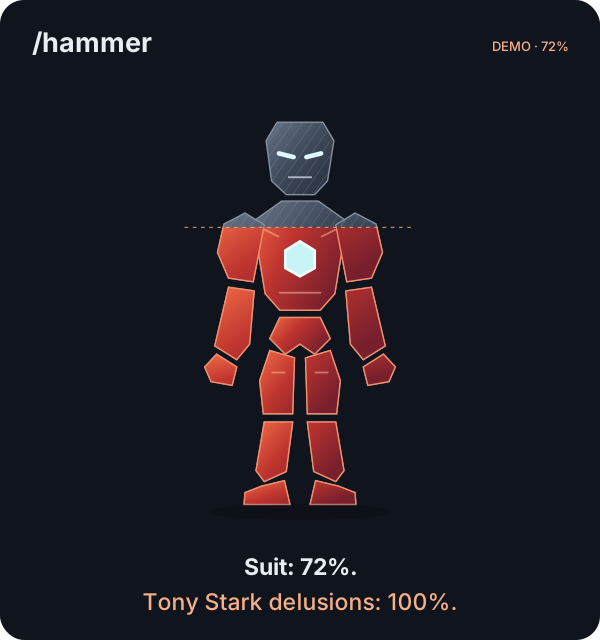
The report separates overall state from stage-level detail. A person can scan the headline percentage, then inspect what is running, blocked, failed, pending, or complete. Evidence stays next to the stage it supports instead of disappearing into an agent transcript.
The visual is deliberately self-contained. It opens as a local HTML file, needs no server, and can travel with the task output. Reduced-motion preferences are respected, and descriptive labels remain available to assistive technology.
03 / THE EVIDENCE MODEL
The percentage comes from declared work, not elapsed time.
100% is reserved for the moment every stage is marked done.
Each stage has a status, a positive finite weight, a fraction between zero and one, and optional evidence. The renderer rejects contradictory states: a done stage must be complete, and a pending stage cannot quietly claim partial progress.
This does not make the agent omniscient. It makes the claim inspectable. If the work changes, the snapshot should change. If a stage fails, the report should show the failure instead of smoothing it into a happier number.
04 / RENDER PIPELINE
A small system that can follow the agent.
Read the actual task stages, results, and blockers.
Record evidence, status, weight, and fraction as JSON.
Validate the snapshot and compute weighted progress.
Open a portable local report and refresh at meaningful milestones.
The implementation is one standard-library Python script, one HTML template, and a documented skill contract. The script parses the snapshot, validates every field, computes weighted completion, escapes supplied text, and performs a single template substitution pass.
Keeping the renderer dependency-free is a product choice. A person can copy the skill folder into a project, run it with the Python already on most development machines, and inspect both the input and the generated artifact.
05 / SECURITY + PORTABILITY
Local by default, with a narrow input surface.
The generated report makes no network requests and contains no tracking. Its content security policy blocks external resources. User-supplied strings are escaped before they enter the page, and the template is filled in one pass so substituted content cannot become another template instruction.
The repository contains no API keys and needs no model provider at render time. The same folder structure can be installed for Claude Code or Codex, which makes the skill portable without pretending the two hosts have identical internals.
06 / RUN IT YOURSELF
The source includes the skill, a synthetic snapshot, and its tests.
Clone the public repository, render the included example, then open the resulting HTML file in a browser:
python3 skills/hammer/scripts/render.py examples/demo.json demo.html
python3 -m unittest discover -s tests -v
The current suite has nine passing tests covering validation, safe escaping, completion rules, and output behavior. To use the skill with an agent host, copy skills/hammer into .claude/skills/hammer or .agents/skills/hammer and invoke the host’s skill command.
07 / BOUNDARIES
It reports agent work; it does not independently watch it.
/hammer is not a background scheduler, operating-system status flag, or external monitor. The agent creates a snapshot and reruns the renderer when the work reaches a meaningful milestone. Refreshing the page shows the new artifact.
The renderer can prove that the snapshot is structurally coherent. It cannot prove that the agent’s evidence is true. That boundary is why evidence stays visible and why the page never turns elapsed time into a promise.
The browser result and renderer tests are verified. Full invocation inside every supported agent-host version remains an integration check. Public examples use synthetic data so private task logs do not become part of the demo.
QUICK ANSWERS
Agent Workshop, in brief.
What is Agent Workshop?
Agent Workshop is Ajit Gaddam's open-source repository for reusable AI-agent skills and tools. Its first skill, /hammer, turns a structured task snapshot into a self-contained visual progress report.
Does /hammer monitor an agent automatically?
No. The agent writes a JSON snapshot from the work it has actually observed, then the renderer validates and converts that snapshot into HTML. The report is regenerated and refreshed at meaningful milestones; it is not a background monitor or countdown.
Which agent hosts can use it?
The repository includes installation instructions for Claude Code and Codex. The skill is copied into the host's skills directory and keeps its renderer, template, and instructions together.