Why I Built Kids Art for My Family
I built Kids Art after spending too much time sorting through popups and broken links for one printable coloring page. It makes and prints custom pages, then helps parents save and find the art their children bring home.
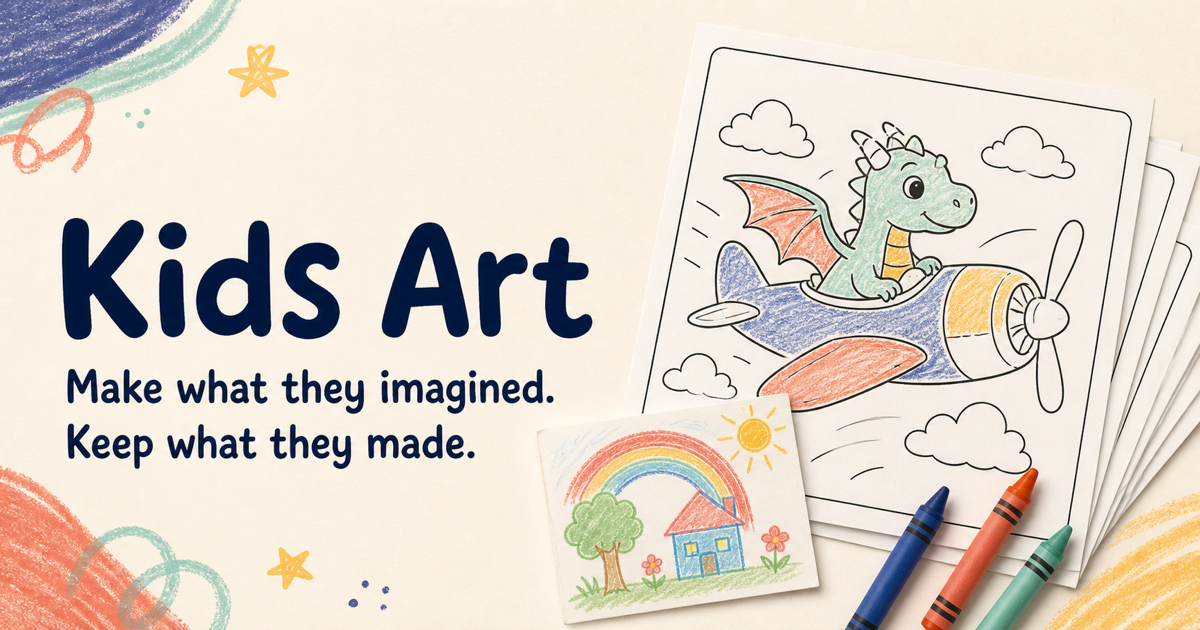
My kids ask for very specific coloring pages. A friendly dragon flying a small airplane. A dinosaur at a birthday picnic. I used to search the web until I found something close enough, working around popups, dead links, tiny images, and pages that printed badly. The job should take a minute.
I built Kids Art to do three things I need at home: make the page my child asked for, print it without fixing the layout, and save the school art I do not want to lose. The app also lets us color on an iPhone or iPad, search saved work, and collect favorite pieces in a PDF book.
One app for iPhone, iPad, and Mac
Kids Art is a SwiftUI app for all three devices. The iPhone layout uses five main tabs. The iPad gives the artwork more room. The Mac app uses a sidebar and supports a keyboard, mouse, and trackpad. Secondary screens show where you are and provide a standard way back. Leaving Coloring Time never requires a parent password.
The app uses Apple's text styles so controls grow with Dynamic Type. The layouts scroll at large text sizes instead of hiding buttons. Release tests cover dark appearance, higher contrast, reduced motion, non-color selection cues, semantic labels, and minimum touch targets. Physical assistive-technology testing remains part of the final device check.
The artwork stays on the device
The library uses SwiftData and does not require a Kids Art account. Scans, dates, labels, notes, and voice memories stay in the local app library unless a parent exports them. Parents can search in the app. Optional Spotlight indexing is off by default.
The scanner uses Apple's document camera for edge detection and perspective correction. Parents can also choose images from Photos or import files from iCloud Drive, Google Drive, or another Files provider. A complete .kidsartbackup file can be exported and restored on another Apple device. Kids Art never receives a parent's iCloud or Google password.
There is something useful before AI
Eleven printable pages are included in the app. They work offline, with no account and no API key. A child can color a page on an iPhone or iPad, save a draft, finish it later, or print a clean copy.
Custom generation is optional and stays behind Parent Access. A parent can use on-device Apple idea help when it is available or add an OpenAI, Google, or xAI API key. Provider keys are stored in Keychain. Only the text prompt and generation settings are sent after confirmation. Kids Art does not attach a child photo, scan, saved artwork, voice recording, name, note, or school information to an AI request.
Printing had to be boring and reliable
Every single-page print action first creates a white US Letter PDF with half-inch margins. The app then opens Apple's print sheet. The same route works for an included page, a generated page, a colored copy, or scanned school art. Books are standard PDFs that can be saved to Files or sent to a print service.
This work caught a real bug. A PDF passed structural checks but rendered upside down. The release process now renders and inspects PDF pages, checks screenshot dimensions, exercises the app's main routes, scans for secrets, runs static analysis, and builds signed release archives for iPhone, iPad, and Mac. A home-printer test is still required before I call printing fully verified.
What I want parents to ask for next
The Settings screen includes Share a Product Idea. It opens a text-only email that the parent reviews before sending. The app does not attach artwork, device identifiers, diagnostics, API keys, or library data.
One example is already in the form: scan a colored page that came home from school, turn it into a clean outline, and print a fresh copy. That feature is not in version 1.0. It is there so parents can tell me whether it would be useful before I build it.
Preparing version 1.0
Kids Art 1.0 has been submitted to App Store review as a free app for iPhone, iPad, and Mac. It has no ads, subscriptions, child accounts, public gallery, messages, or tracking SDK. Read the product and engineering showcase, privacy policy, accessibility support, and support guide.