Facebook Account got Hacked? How to Recover your Facebook
Is your profile sent spammy links to your friends walls with events or videos you did not create? Is your wall flooded with spam messages? It is possible that malicious software (e.g. computer virus or worms) has been do…
Is your profile sent spammy links to your friends walls with events or videos you did not create? Is your wall flooded with spam messages? It is possible that malicious software (e.g. computer virus or worms) has been downloaded to your computer or your Facebook account has been hacked.
Here are the top five tips on how to recover your Facebook account and secure it from being hacked in the future.
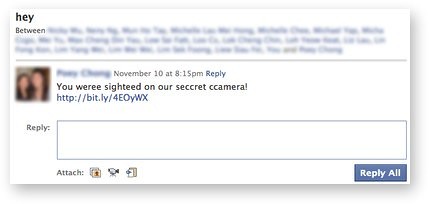
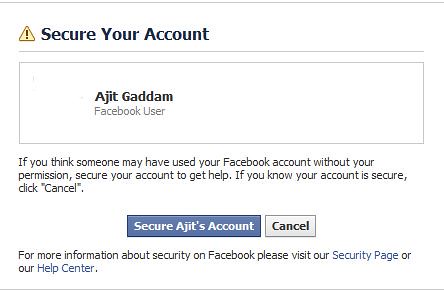
 You also have the ability to reach out to Facebook and report that your Facebook account got hacked.
1. Delete the Spam messages and Facebook wall posts
This is the first step you want to do and delete any messages you have on your wall or in your inbox. The sooner you do this, the less likely one of your buddies may fall for the same spam posting and propagate this.- Also, you can report the suspicious link in the Facebook form
2. Temporarily Block access to your Facebook account using Roadblock
Facebook provides a Roadblock tool that will let you temporarily block all access to your account until you verified your credentials and restore access to your account.
3. Change your Facebook password
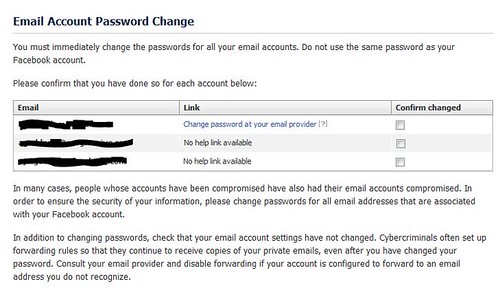
You need to login and change your Facebook password as soon as possible if you suspect your Facebook account has been hacked. You can visit Facebook's account settings to do this. When you change your password, make sure it is unique to your Facebook account. It should be a minimum of 7 characters in length and you should include numbers and special characters in your password (e.g. #, $, @ etc). Here are some tips on how to create a strong password for your Facebook account. Also make sure to change any accounts including email accounts you associate with your Facebook account.
4. Enable Login Approvals
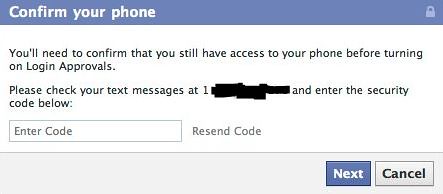
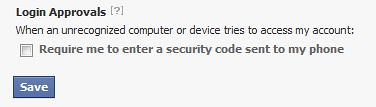
Login approvals is a new security feature from Facebook that requires you to enter a code that Facebook texts to your phone when someone including you log in from a new or an unrecognized computer. Once you enter this code, you can save this new computer to your account so that you do not get prompted in the future. This step is called a Two Factor authentication system. If Facebook ever sees a login from an unrecognized computer or cell phone, you will be notified on your next login and can change your password if you suspect your Facebook account got hacked.- Enable "Login approvals" from the Account Settings page.
- Under Account settings, go to Account Security and hit change.
- Select the check box under Login Approvals.
5. Edit permissions granted to Apps
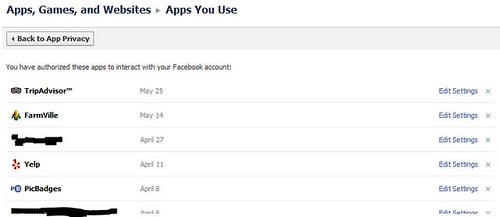
Everytime you play a quiz or like a website or a game, you grant those apps permissions to various information on your Facebook account. Most of the times when you see a spammy video or links being posted on your behalf on your wall or on your friends walls, it is because you fell for a malicious app.- Under Account Settings page, click on privacy settings. At the bottom of the page, under Apps and Websites, select Edit your settings.
- Under Apps you use, select Remove unwanted or spammy apps
- Now, clean up any suspicious apps you see
You also have the ability to reach out to Facebook and report that your Facebook account got hacked.
- You can send direct mail to Facebook to report that your Facebook got hacked to privacy@facebook.com
- If you think you got phished by clicking a malicious link sent to your email or on Facebook, you can use this Facebook phishing report form